

If you already trade on Kalshi, the launch of Kalshi Pro raises exactly one question: do I keep using the app, or do I switch?
The good news is that it's not really a fork-in-the-road decision. Kalshi Pro and the standard Kalshi app run on the same account, the same balance, and the same CFTC-regulated exchange, and they settle the same contracts. You don't pick one forever — you open whichever fits what you're doing right now. Here's how to know which that is.
The one-line answer
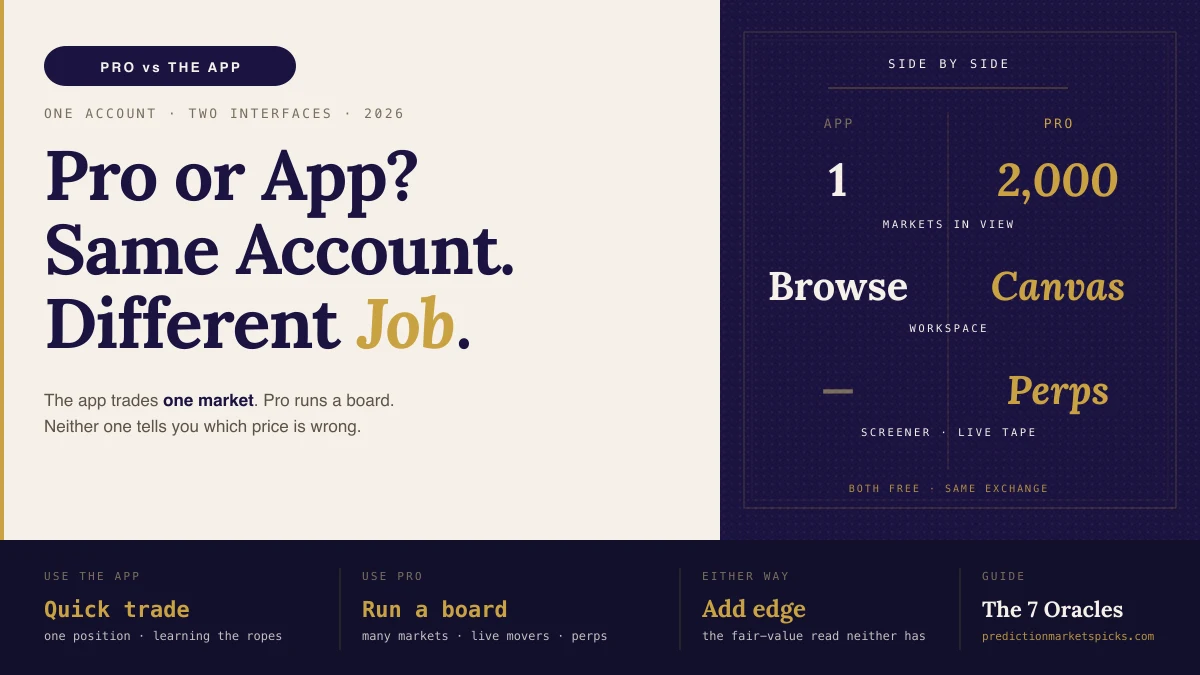
The app is built to browse and trade one market at a time. Pro is built to watch and work many markets at once. If you hold one or two positions and check in occasionally, the app is faster. If you're running a board of positions across a theme, Pro is the cockpit.
Side by side
| Kalshi App | Kalshi Pro | |
|---|---|---|
| Account | Your Kalshi account | Same account — no separate signup |
| Best for | One market at a time | Many markets at once |
| Layout | Single-market pages | Drag-and-resize Canvas workspace |
| Discovery | Browse categories | Screener ranking ~2,000 markets by price, spread, depth, 5-min volume |
| Order tools | Standard buy/sell | Resting orders on the book, batch cancel, bulk edits |
| Perpetuals | — | Perpetual futures + TradingView Advanced Charting, isolated/cross margin, TP/SL, reduce-only, slippage guards |
| Live tape | — | Yes |
| Cost | Free | Free (public beta since July 13, 2026) |
| Fair value / edge | No | No |
When the app is the right call
- You hold a couple of positions. Opening a full terminal to check two contracts is overkill. The app's single-market view is quicker.
- You're new to prediction markets. The app is the gentler on-ramp. Learn to read a contract as a probability first, then graduate to the terminal.
- You're on your phone with a quick trade to place. The app flow is tighter for one-and-done.
When Pro is the right call
- You're watching a theme. A commodities board, an election board, a crypto board — the Canvas keeps the whole cluster live on one screen.
- You manage a book. Resting orders, batch cancel, and bulk edits are the difference between managing ten positions and fighting ten tabs.
- You want to see what's moving right now. The screener's 5-minute-volume ranking is the fastest read of live exchange activity anywhere in US prediction markets.
- You trade the perps. TradingView charting plus real risk controls (margin modes, TP/SL, reduce-only, slippage guards) only exist on Pro.
What neither one gives you
Here's the thing both interfaces have in common, and it's the important one: neither Pro nor the app tells you whether a price is right.
The app shows you a contract. Pro shows you 2,000 of them ranked by flow. But flow is not fair value. A market with the highest 5-minute volume is the busiest, not the most mispriced. A contract you've been watching in the app is a price, not a verdict. To trade with an edge you need an independent estimate of what the contract is actually worth — and then you measure the gap.
That independent read is the whole PredictionMarketsPicks stack, and it sits next to whichever Kalshi interface you're using:
- Watching a multi-leg same-game setup? Price it with the Combo Edge Builder (free) — true joint probability, SMASH → RUN verdict.
- Staring at a screener full of movers? Check each one against your own fair value with the EV Calculator, then size it with the Kelly calculator.
- Found the trade? The Kelly calculator and EV calculator size it and give you a BUY / SELL / SKIP call.
And if you'd rather not tab-hop, the PredictionMarketsPicks MCP server plugs into Claude, ChatGPT, or Cursor: paste your Pro watchlist tickers and get an edge read on every market we model. Free to add.
So, which should you use?
Both. Use the app when you're placing a quick, single position or you're still learning. Switch into Pro when you're running a board, hunting live movers, or trading perps. They're two views of one account, so there's no cost to moving between them — and there's no downside to keeping the edge layer open next to whichever one you've got up.
If you don't have a Kalshi account yet, you create one once and both the app and the Pro terminal open on it. Then bring the fair-value read neither interface computes.
FAQ
Is Kalshi Pro a different account from the Kalshi app?
No. Pro is the same account, the same balance, and the same exchange as the standard app. You switch into the terminal — you don't sign up again. One deposit funds trades from either interface.
Should I switch from the Kalshi app to Kalshi Pro?
You don't have to choose — both run on your account. Use the app for quick single trades and while you're learning; use Pro when you're managing a board of positions, scanning live movers, or trading perpetuals.
Is Kalshi Pro free like the app?
Yes. Kalshi Pro launched as a free public beta on July 13, 2026. There's no separate subscription and no separate deposit; you pay Kalshi's standard trading fees on your positions in either interface.
What can Kalshi Pro do that the app can't?
A drag-and-resize Canvas workspace, a screener ranking ~2,000 markets by price/spread/depth/5-minute volume, a live trade tape, advanced order management (resting orders, batch cancel, bulk edits), and perpetual futures with TradingView charting and full risk controls.
Does either Kalshi Pro or the app show mispriced markets?
No. Both describe flow — price and volume — not fair value. To find mispricing you compare the Kalshi price against an independent probability estimate, which is what the PredictionMarketsPicks tools and MCP server do.
Benny Ricciardi is an FSWA Award Winner and published author. He founded PredictionMarketsPicks. Free tools and edge reads for the Kalshi Pro terminal at PredictionMarketsPicks.