

Kalshi shipped a trading terminal.
On July 13, 2026, Kalshi rolled out Kalshi Pro — a free public beta of a power-user interface bolted onto the same CFTC-regulated exchange you already trade on. I've spent the beta running it next to my usual workflow, and the short version is this: it's the best flow terminal a US prediction market has ever put out, it costs nothing, and it is missing the one thing that actually makes money. Both of those can be true at once. Let me show you.
What Kalshi Pro actually is
Kalshi Pro is not a new product and not a new account. It's a second interface on your existing Kalshi account — same balance, same exchange, same contracts. You don't sign up again; you switch in.
What you get on the other side is a proper terminal:
- A Canvas — a drag-and-resize workspace where you pull markets in, arrange the panels, place resting orders straight on the book, batch-cancel, and make bulk edits across positions.
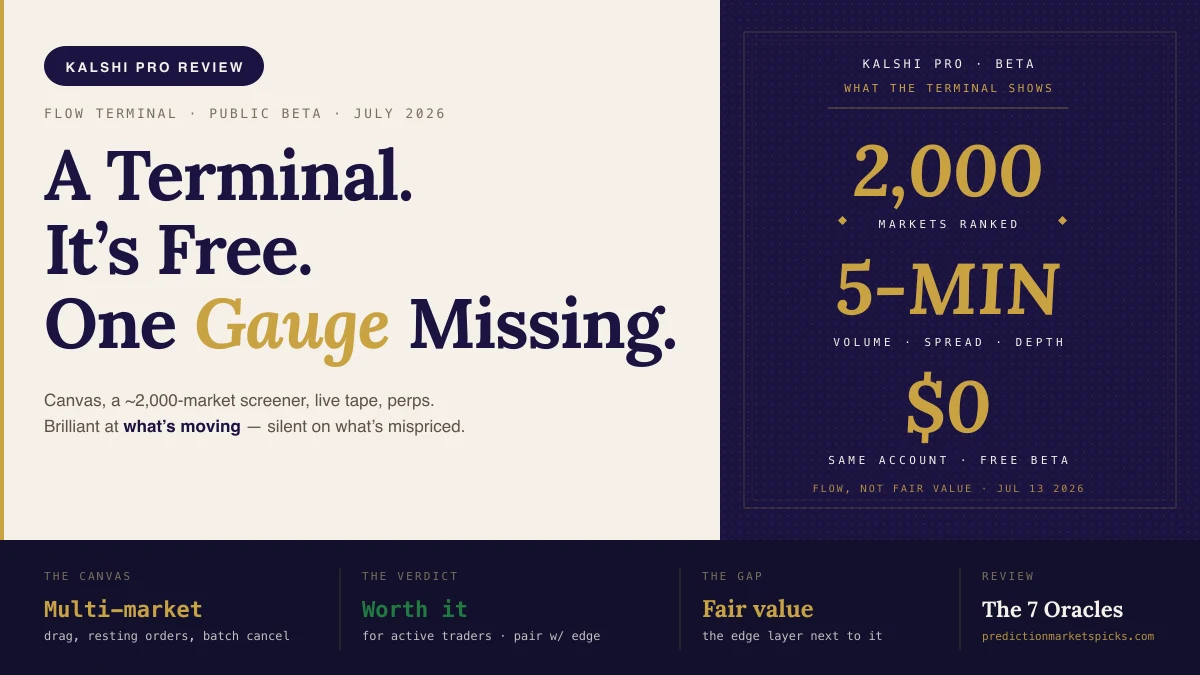
- A screener — ranks roughly 2,000 markets by price, spread, depth, and 5-minute volume, next to a live trade tape.
- Perpetuals — perpetual-futures markets charted with TradingView Advanced Charting, with isolated/cross margin, take-profit and stop-loss, reduce-only orders, and slippage guards.
If you've ever used a real trading desk terminal, the vocabulary is immediately familiar. That's the point.
What it does brilliantly
Speed of read. The Canvas is the first Kalshi surface built for someone watching more than one market. Park a commodities board, an election board, a crypto board — whatever your theme — and the whole cluster is live on one screen. No more clicking through single-market pages to check five positions.
The screener is a genuine discovery engine. Sort by 5-minute volume and you see what the exchange is trading this instant. Sort by spread and you see where the book is thin. For finding candidates — markets worth a second look — it's excellent, and nothing else in the US prediction-market space touches it.
Order management is grown-up. Batch cancel, bulk edits, resting orders on the book, reduce-only and slippage guards on the perps. These are the tools of someone managing a book, not placing a one-off position. Kalshi built them properly.
It's free. During the beta there's no subscription, no separate deposit, no paywall on the terminal. Monetization is undecided, so right now the whole thing is available at zero cost. You still pay Kalshi's standard trading fees on the positions you take — but the terminal itself is free.
What it doesn't do — at all
Here's the honest part. Every column in Kalshi Pro answers the same question: what is moving. Price, spread, depth, 5-minute volume, the tape. That's flow. And flow is only half of trading.
The other half is fair value — an independent estimate of what a contract is actually worth — because a price only becomes an opportunity when it drifts away from the truth. Kalshi Pro will never tell you that. A market sitting at the top of the 5-minute-volume column is busy, not mispriced. A tight spread means the book agrees with itself, not that the book is right. The terminal shows you what; it is silent on whether.
That's not a criticism of the build — it's a design boundary. Kalshi is the exchange; it's not going to sit on both sides of a trade by telling you its own contracts are wrong. But it means the terminal, on its own, is a beautifully-instrumented cockpit with no fair-value gauge.
Who it's for
- Active multi-market traders: yes, unreservedly. The Canvas and order management alone justify switching in. This is your terminal now.
- Perps traders: yes, with the standard leverage caveat — the risk controls are all there, but leverage cuts both ways, so size deliberately.
- Anyone chasing the screener's top movers: careful. The screener finds the busy markets brilliantly; it can't tell you which of them is priced wrong. That's the trap.
The edge layer the terminal is missing
This is exactly the gap we build for at PredictionMarketsPicks. Kalshi Pro finds what's trading; our tools find what's mispriced. They sit next to the terminal, not against it:
- Pull a busy multi-leg same-game setup off your Canvas and price it with the Combo Edge Builder — it takes the correlated legs, computes the true joint probability, and hands back a SMASH → RUN verdict. It's free.
- Take a screener full of movers and check each one against your own fair value with the EV Calculator, then size it with the Kelly calculator.
- Found the trade in Pro? The Kelly calculator and the EV calculator turn your edge and the payout into a position size and a BUY / SELL / SKIP call.
Or skip the tab-switching entirely: our MCP server connects to Claude, ChatGPT, or Cursor. Copy your Kalshi Pro watchlist tickers, paste them in, and get an edge read on every market we model — the terminal's "what's moving" turned into "which of these is wrong." It's free to add.
The verdict
Kalshi Pro is a genuinely great flow terminal, it's free, and if you trade actively you should be using it. Just don't mistake it for an edge machine. It shows you the whole board in high resolution — but the board doesn't tell you where the value is. Run Pro to see the market; run the edge layer next to it to beat the market.
The smartest move right now is the cheapest one: open a Kalshi account, switch into Pro, and bring the fair-value read the terminal doesn't compute. Trade the data, not the noise.
FAQ
Is Kalshi Pro free?
Yes. It launched as a free public beta on July 13, 2026, and runs on the same account and exchange as the standard Kalshi app. There's no separate subscription and no separate deposit during the beta — you still pay Kalshi's normal trading fees on your positions. Kalshi has said monetization is undecided.
Is Kalshi Pro worth it?
For active traders, yes — the Canvas workspace and the order-management tools alone make it worth switching in, and it costs nothing during the beta. For casual users placing the occasional position, the standard app is still simpler. Just know that Pro shows flow, not fair value, so pair it with an edge tool if you're chasing the screener's movers.
What is the difference between Kalshi Pro and the Kalshi app?
Same account, same exchange, same contracts. The app is a browse-one-market-at-a-time interface; Pro is a multi-market terminal with a Canvas, a ~2,000-market screener, a live tape, and perpetuals with TradingView charting. Pro is the power-user cockpit.
Does Kalshi Pro show which markets are mispriced?
No. Every metric in Pro — price, spread, depth, 5-minute volume — describes flow, not fair value. To find mispricing you need an independent probability to compare the price against, which is what the PredictionMarketsPicks tools and MCP server provide.
Do I need a separate account for Kalshi Pro?
No. Pro is the same account and balance as the standard app. If you don't have a Kalshi account, you create one once and both interfaces are available on it.
Benny Ricciardi is an FSWA Award Winner and published author. He founded PredictionMarketsPicks. Free tools and edge reads for the Kalshi Pro terminal at PredictionMarketsPicks.